Vector RAG Agent

Vector RAG Agent
A Vector RAG Agent combines retrieval over a knowledge base with the agent loop. Unlike a fixed RAG pipeline that always retrieves once and then answers, the agent decides if retrieval is needed, which table to search, and how to phrase the query, and it can call other tools in between (a calculator, a datetime helper, a web search).
Why a Vector RAG Agent?
graph TD
    A[Question] --> B[VectorRAGAgent]
    B --> C{Need to Search?}
    C -->|Yes| D[search_knowledge_base]
    D --> E[Results]
    E --> B
    C -->|No| F{Use Other Tool?}
    F -->|Yes| G[calculate / get_current_date / ...]
    G --> B
    F -->|No| H[Final Answer]
Traditional RAG pipelines always retrieve documents, even for trivial questions. A Vector RAG Agent is smarter:
- Decides IF retrieval is needed.
- Can reformulate queries for better recall.
- Can perform multiple searches and combine results.
- Can call other tools (calculator, web search, ...) alongside retrieval.
What VectorRAGAgent Gives You
synalinks.VectorRAGAgent bundles three retrieval tools bound to a
:class:KnowledgeBase:
| Tool | Purpose |
|---|---|
get_knowledge_base_schema |
List available tables and columns. |
search_knowledge_base |
Run similarity / fulltext / hybrid_fts search against a table. |
get_record_by_id |
Pull a full record after a search returns an id. |
Pick the retrieval mode via search_type=:
"similarity": pure vector search over embeddings."fulltext": BM25 keyword search."hybrid_fts"(default): vector + BM25 fused with Reciprocal Rank Fusion (RRF); best general default.
Search results are rendered as CSV by default so the LM spends
fewer input tokens reading tabular hits. Use output_format="json"
if you'd rather get a list of dicts.
Adding Extra Tools
VectorRAGAgent mirrors FunctionCallingAgent exactly: every
parameter is accepted with identical semantics. The tools= slot
appends extra tools on top of the three built-ins, so you can mix in
a calculator, a clock, a web search, etc.
import synalinks

@synalinks.saving.register_synalinks_serializable()
async def calculate(expression: str):
    """Compute an arithmetic expression.

    Args:
        expression (str): A safe expression like '100 * 0.85'.
    """
    if not all(char in "0123456789+-*/(). " for char in expression):
        return {"error": "Invalid characters in expression"}
    return {"result": eval(expression, {"__builtins__": None}, {})}

inputs = synalinks.Input(data_model=synalinks.ChatMessages)
outputs = await synalinks.VectorRAGAgent(
    knowledge_base=kb,
    language_model=lm,
    tools=[synalinks.Tool(calculate)],  # appended to the three retrieval tools
    max_iterations=5,
)(inputs)
Tool constraints (inherited from FunctionCallingAgent):
- All parameters must be required. Tool descriptions go in the
Args:section of the docstring. - Tool names must not start with
_. - Tool names must not collide with built-ins
(
get_knowledge_base_schema,search_knowledge_base,get_record_by_id).
Key Takeaways
- One module, three retrieval tools:
synalinks.VectorRAGAgentbundles schema discovery, search, and id-lookup. No manual tool wiring. - Token-efficient by default:
output_format="csv"minimizes LM input tokens on hit lists. - Mix in your own tools through
tools=. - Multi-turn conversations: pass a
ChatMessagesinput and the agent maintains context across turns.
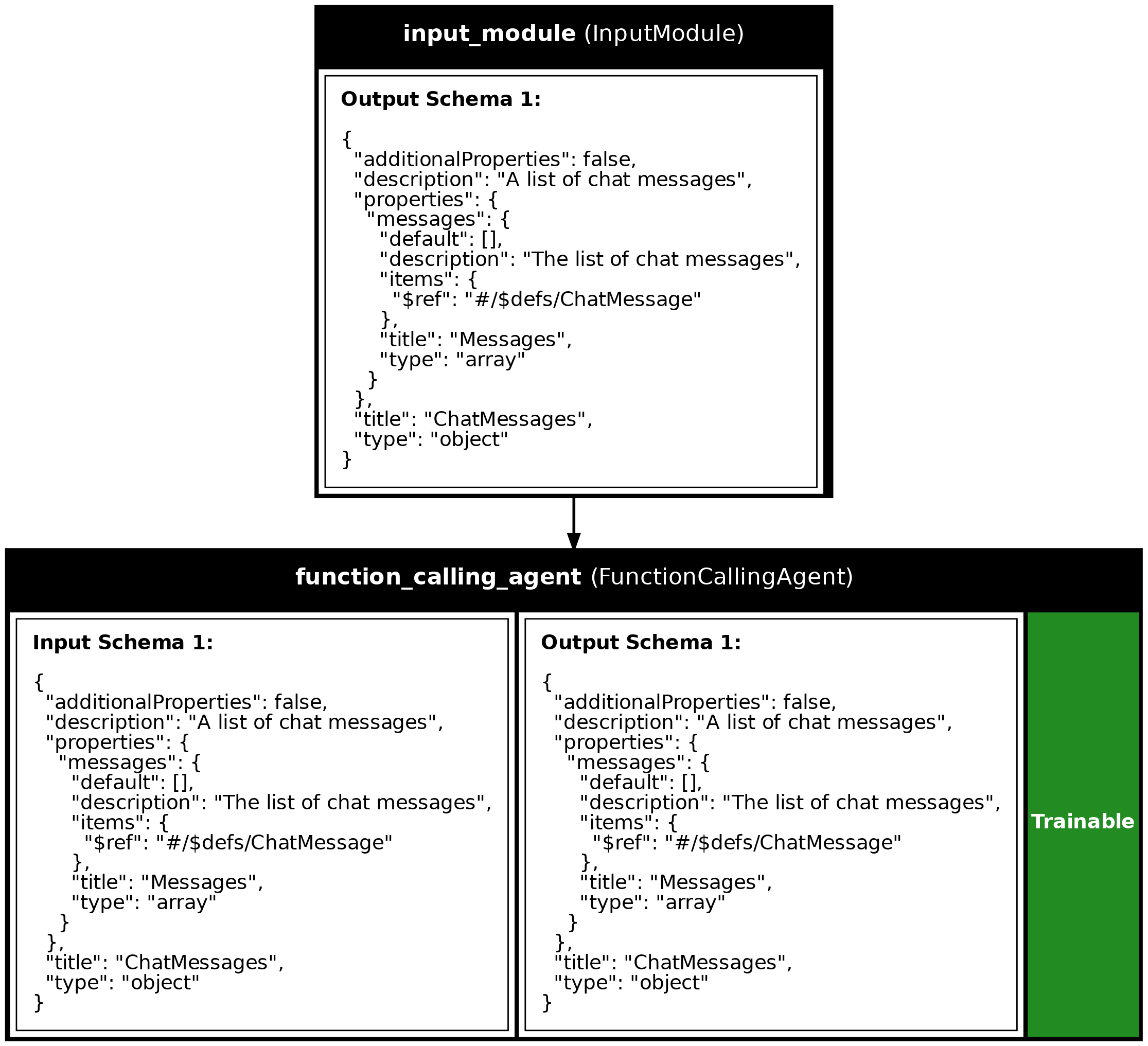
Program Visualization
API References
Document
Bases: DataModel
A document stored in the knowledge base.
Source code in examples/14_vector_rag_agent.py
calculate(expression)
async
Perform mathematical calculations.
Use this for any math operations like addition, multiplication, percentages, or complex expressions.
Parameters:
| Name | Type | Description | Default |
|---|---|---|---|
expression
|
str
|
A mathematical expression to evaluate, e.g., '100 * 0.15' or '(50 + 30) / 2'. |
required |
Source code in examples/14_vector_rag_agent.py
get_current_date()
async
Get the current date and time.
Use this when you need to know today's date or the current time. This function takes no arguments.
Source code in examples/14_vector_rag_agent.py
Source
import asyncio
import os
from dotenv import load_dotenv
import synalinks
# =============================================================================
# Data model
# =============================================================================
class Document(synalinks.DataModel):
    """A document stored in the knowledge base."""

    id: str = synalinks.Field(
        description="Unique document identifier",
    )
    title: str = synalinks.Field(
        description="Document title",
    )
    content: str = synalinks.Field(
        description="The main text content of the document",
    )
    category: str = synalinks.Field(
        description="Document category",
    )
# =============================================================================
# Extra tools layered on top of the built-in retrieval tools
# =============================================================================
@synalinks.saving.register_synalinks_serializable()
async def calculate(expression: str):
    """Perform mathematical calculations.

    Use this for any math operations like addition, multiplication,
    percentages, or complex expressions.

    Args:
        expression (str): A mathematical expression to evaluate,
            e.g., '100 * 0.15' or '(50 + 30) / 2'.
    """
    allowed_chars = "0123456789+-*/().% "
    if not all(c in allowed_chars for c in expression):
        return {
            "status": "error",
            "message": "Invalid characters in expression",
            "result": None,
        }

    try:
        expr = expression.replace("%", "/100")
        result = eval(expr, {"__builtins__": {}}, {})
        return {
            "status": "success",
            "expression": expression,
            "result": round(float(result), 2),
        }
    except Exception as e:
        return {
            "status": "error",
            "message": str(e),
            "result": None,
        }
@synalinks.saving.register_synalinks_serializable()
async def get_current_date():
    """Get the current date and time.

    Use this when you need to know today's date or the current time.
    This function takes no arguments.
    """
    from datetime import datetime

    now = datetime.now()
    return {
        "date": now.strftime("%Y-%m-%d"),
        "time": now.strftime("%H:%M:%S"),
        "day_of_week": now.strftime("%A"),
    }
# =============================================================================
# Sample documents
# =============================================================================
SAMPLE_DOCUMENTS = [
Document(
id="policy-001",
title="Remote Work Policy",
content="""
Employees may work remotely up to 3 days per week with manager approval.
Remote work requests must be submitted at least 48 hours in advance.
Employees must be available during core hours (10 AM - 4 PM).
A reliable internet connection and dedicated workspace are required.
Equipment allowance of $500 is provided for home office setup.
""",
category="HR Policy",
),
Document(
id="policy-002",
title="Expense Reimbursement Policy",
content="""
Business expenses must be submitted within 30 days of purchase.
Receipts are required for all expenses over $25.
Travel expenses include flights, hotels, meals, and transportation.
Daily meal allowance: $75 for domestic travel, $100 for international.
Hotel booking limit: $200/night domestic, $300/night international.
Manager approval required for expenses over $500.
""",
category="Finance Policy",
),
Document(
id="policy-003",
title="Vacation and PTO Policy",
content="""
Full-time employees receive 20 days of PTO per year.
PTO accrues at 1.67 days per month.
Unused PTO can be carried over (maximum 5 days).
Vacation requests should be submitted 2 weeks in advance.
Holiday schedule includes 10 paid company holidays.
Sick leave is separate from PTO: 10 days per year.
""",
category="HR Policy",
),
Document(
id="product-001",
title="Product Pricing - Enterprise Plan",
content="""
Enterprise Plan: $99/user/month (billed annually).
Minimum 50 users required for Enterprise Plan.
Volume discounts available:
- 50-99 users: 10% discount
- 100-249 users: 15% discount
- 250+ users: 20% discount
Enterprise features include: SSO, advanced analytics, dedicated support,
custom integrations, and 99.9% SLA.
""",
category="Product",
),
Document(
id="product-002",
title="Product Pricing - Startup Plan",
content="""
Startup Plan: $29/user/month (billed monthly) or $25/user/month (annual).
Available for teams of 5-49 users.
Includes: Basic features, email support, 99% uptime SLA.
Free trial: 14 days with full feature access.
No setup fees or long-term contracts required.
""",
category="Product",
),
Document(
id="support-001",
title="Customer Support Hours",
content="""
Standard Support: Monday-Friday, 9 AM - 6 PM (local time).
Enterprise Support: 24/7 with dedicated account manager.
Average response times:
- Critical issues: 1 hour (Enterprise), 4 hours (Standard)
- High priority: 4 hours (Enterprise), 24 hours (Standard)
- Normal priority: 24 hours (Enterprise), 72 hours (Standard)
Support channels: Email, chat, phone (Enterprise only).
""",
category="Support",
),
]
# =============================================================================
# Main example
# =============================================================================
async def main():
load_dotenv()
# synalinks.enable_observability(
# tracking_uri="http://localhost:5000",
# experiment_name="vector_rag_agent",
# )
language_model = synalinks.LanguageModel(
model="ollama/qwen3:8b",
)
embedding_model = synalinks.EmbeddingModel(
model="ollama/all-minilm",
)
db_path = "./examples/rag_agent.db"
if os.path.exists(db_path):
os.remove(db_path)
# -------------------------------------------------------------------------
# Step 1: Create and populate the knowledge base
# -------------------------------------------------------------------------
print("Step 1: Creating Knowledge Base")
print("=" * 60)
kb = synalinks.KnowledgeBase(
uri=f"duckdb://{db_path}",
data_models=[Document],
embedding_model=embedding_model,
metric="cosine",
)
print("Storing documents...")
for doc in SAMPLE_DOCUMENTS:
await kb.update(doc.to_json_data_model())
print(f" - {doc.title}")
# -------------------------------------------------------------------------
# Step 2: Build the Vector RAG Agent
# -------------------------------------------------------------------------
print("\nStep 2: Creating Vector RAG Agent")
print("=" * 60)
inputs = synalinks.Input(data_model=synalinks.ChatMessages)
outputs = await synalinks.VectorRAGAgent(
knowledge_base=kb,
language_model=language_model,
tools=[synalinks.Tool(calculate), synalinks.Tool(get_current_date)],
autonomous=True,
max_iterations=5,
)(inputs)
agent = synalinks.Program(
inputs=inputs,
outputs=outputs,
name="vector_rag_agent",
description="A RAG agent that can search documents and use other tools.",
)
synalinks.utils.plot_program(
agent,
to_folder="examples",
show_module_names=True,
show_schemas=True,
show_trainable=True,
)
print("Vector RAG Agent created!")
# -------------------------------------------------------------------------
# Step 3: Single-turn questions
# -------------------------------------------------------------------------
print("\nStep 3: Single-turn Questions")
print("=" * 60)
test_questions = [
"What is the remote work policy?",
"How much PTO do employees get per year?",
"If I have 100 users on the Enterprise plan, what would be the "
"monthly cost per user after discount?",
"What's the meal allowance for a 5-day international trip?",
"What day is it today?",
"Compare the Startup and Enterprise plans.",
]
for question in test_questions:
print(f"\n{'─' * 60}")
print(f"User: {question}")
print(f"{'─' * 60}")
messages = synalinks.ChatMessages(
messages=[synalinks.ChatMessage(role="user", content=question)]
)
result = await agent(messages)
response_messages = result.get("messages", [])
for msg in reversed(response_messages):
if msg.get("role") == "assistant" and msg.get("content"):
print(f"\nAgent: {msg.get('content')}")
break
# -------------------------------------------------------------------------
# Step 4: Multi-turn conversation
# -------------------------------------------------------------------------
print("\n\nStep 4: Multi-turn Conversation")
print("=" * 60)
conversation = [
"What is the daily meal allowance for travel?",
"What about for international trips?",
"If I'm traveling for 3 days internationally, what's my total meal budget?",
]
messages = []
for user_msg in conversation:
print(f"\n{'─' * 60}")
print(f"User: {user_msg}")
messages.append(synalinks.ChatMessage(role="user", content=user_msg))
chat_messages = synalinks.ChatMessages(messages=messages)
result = await agent(chat_messages)
response_messages = result.get("messages", [])
assistant_response = None
for msg in reversed(response_messages):
if msg.get("role") == "assistant" and msg.get("content"):
assistant_response = msg.get("content")
print(f"\nAgent: {assistant_response}")
break
if assistant_response:
messages.append(
synalinks.ChatMessage(role="assistant", content=assistant_response),
)
print("\n\nDone!")
if __name__ == "__main__":
asyncio.run(main())
Run log
The log below is the unedited combined output of running the example above with local models (ollama).
Full run log: examples/14_vector_rag_agent.log
Step 1: Creating Knowledge Base
============================================================
Storing documents...
  - Remote Work Policy
  - Expense Reimbursement Policy
  - Vacation and PTO Policy
  - Product Pricing - Enterprise Plan
  - Product Pricing - Startup Plan
  - Customer Support Hours

Step 2: Creating Vector RAG Agent
============================================================
Vector RAG Agent created!

Step 3: Single-turn Questions
============================================================

────────────────────────────────────────────────────────────
User: What is the remote work policy?
────────────────────────────────────────────────────────────

Agent: The **Remote Work Policy** allows employees to work remotely up to **3 days per week** with manager approval. Key requirements include:

- **Submission**: Remote work requests must be submitted at least **48 hours in advance**.
- **Availability**: Employees must be available during **core hours (10 AM - 4 PM)**.
- **Requirements**: A **reliable internet connection** and **dedicated workspace** are mandatory.
- **Equipment Allowance**: A **$500 allowance** is provided for home office setup.

For full details, refer to the policy document (ID: policy-001).

────────────────────────────────────────────────────────────
User: How much PTO do employees get per year?
────────────────────────────────────────────────────────────

Agent: Full-time employees receive **20 days of PTO per year** according to the "Vacation and PTO Policy" document. This policy also states that PTO accrues at 1.67 days per month, with unused days carryable over (maximum 5 days). Sick leave is separate at 10 days per year.

────────────────────────────────────────────────────────────
User: If I have 100 users on the Enterprise plan, what would be the monthly cost per user after discount?
────────────────────────────────────────────────────────────

Agent: If you have 100 users on the Enterprise plan, the monthly cost per user after applying the 15% volume discount would be **$84.15**.

### Breakdown:
- **Base monthly rate**: $99/user (Enterprise plan)
- **15% discount**: $99 × 0.15 = $14.85 discount
- **Discounted monthly rate**: $99 - $14.85 = **$84.15/user**

This calculation assumes the discount applies directly to the monthly rate. The annual billing (as noted in the document) would total $84.15 × 100 = **$8,415/year**.

────────────────────────────────────────────────────────────
User: What's the meal allowance for a 5-day international trip?
────────────────────────────────────────────────────────────

Agent: The meal allowance for an international trip is $100 per day, as stated in the **Expense Reimbursement Policy**. For a 5-day trip, this would total **$500**. This rate applies to daily meal expenses during international business travel.

────────────────────────────────────────────────────────────
User: What day is it today?
────────────────────────────────────────────────────────────

Agent: Today is **Monday, June 8, 2026**.

────────────────────────────────────────────────────────────
User: Compare the Startup and Enterprise plans.
────────────────────────────────────────────────────────────

Agent: Here's a comparison of the **Startup** and **Enterprise** plans based on available documentation:

---

### **Pricing**
- **Startup Plan**:
  - **$29/user/month** (billed monthly) or **$25/user/month** (annual billing).
  - No setup fees or long-term contracts.
  - **Free trial**: 14 days with full feature access.

- **Enterprise Plan**:
  - **$99/user/month** (billed annually).
  - **Minimum 50 users** required.
  - **Volume discounts**:
    - 50-99 users: 10% discount
    - 100-249 users: 15% discount
    - 250+ users: 20% discount

---

### **User Limits**
- **Startup**: Teams of **5–49 users**.
- **Enterprise**: Requires **≥50 users**.

---

### **Key Features**
- **Startup**:
  - Basic features.
  - Email support.
  - **99% uptime SLA**.

- **Enterprise**:
  - SSO (Single Sign-On).
  - Advanced analytics.
  - Dedicated support.
  - Custom integrations.
  - **99.9% uptime SLA**.

---

### **Contracts & Flexibility**
- **Startup**: No long-term contracts.
- **Enterprise**: Annual billing (flexible terms for larger teams).

---

### **Summary**
The **Startup plan** is ideal for smaller teams seeking affordability and simplicity, while the **Enterprise plan** offers advanced features, scalability, and dedicated support for larger organizations. The Enterprise plan also provides cost savings for teams exceeding 50 users.


Step 4: Multi-turn Conversation
============================================================

────────────────────────────────────────────────────────────
User: What is the daily meal allowance for travel?

Agent: The daily meal allowance for travel is specified in the Expense Reimbursement Policy:

- **Domestic travel**: $75 per day
- **International travel**: $100 per day

This information is explicitly stated in the policy document (ID: policy-002).

────────────────────────────────────────────────────────────
User: What about for international trips?

Agent: The daily meal allowance for **international trips** is **$100 per day**, as specified in the Expense Reimbursement Policy (ID: policy-002). This rate applies to all international travel expenses and covers meals during the trip. Let me know if you need further clarification!

────────────────────────────────────────────────────────────
User: If I'm traveling for 3 days internationally, what's my total meal budget?

Agent: For a **3-day international trip**, your total meal budget would be:
**3 days × $100/day = $300**.

This calculation is based on the **Expense Reimbursement Policy (ID: policy-002)**, which sets the daily meal allowance at $100 for international travel. Let me know if you need further details!


Done!