Conversational Applications

Conversational Applications
Synalinks is designed to handle conversational applications as well as
query-based systems. In the case of a conversational applications, the
input data model is a list of chat messages, and the output an individual
chat message. The Program is in that case responsible of handling a
single conversation turn.
sequenceDiagram
    participant User
    participant Program
    participant LLM

    User->>Program: ChatMessages [msg1, msg2, ...]
    Program->>LLM: Full conversation context
    LLM-->>Program: New response
    Program-->>User: ChatMessage (assistant)
    Note over User,Program: Add response to history
    User->>Program: ChatMessages [..., new_msg]
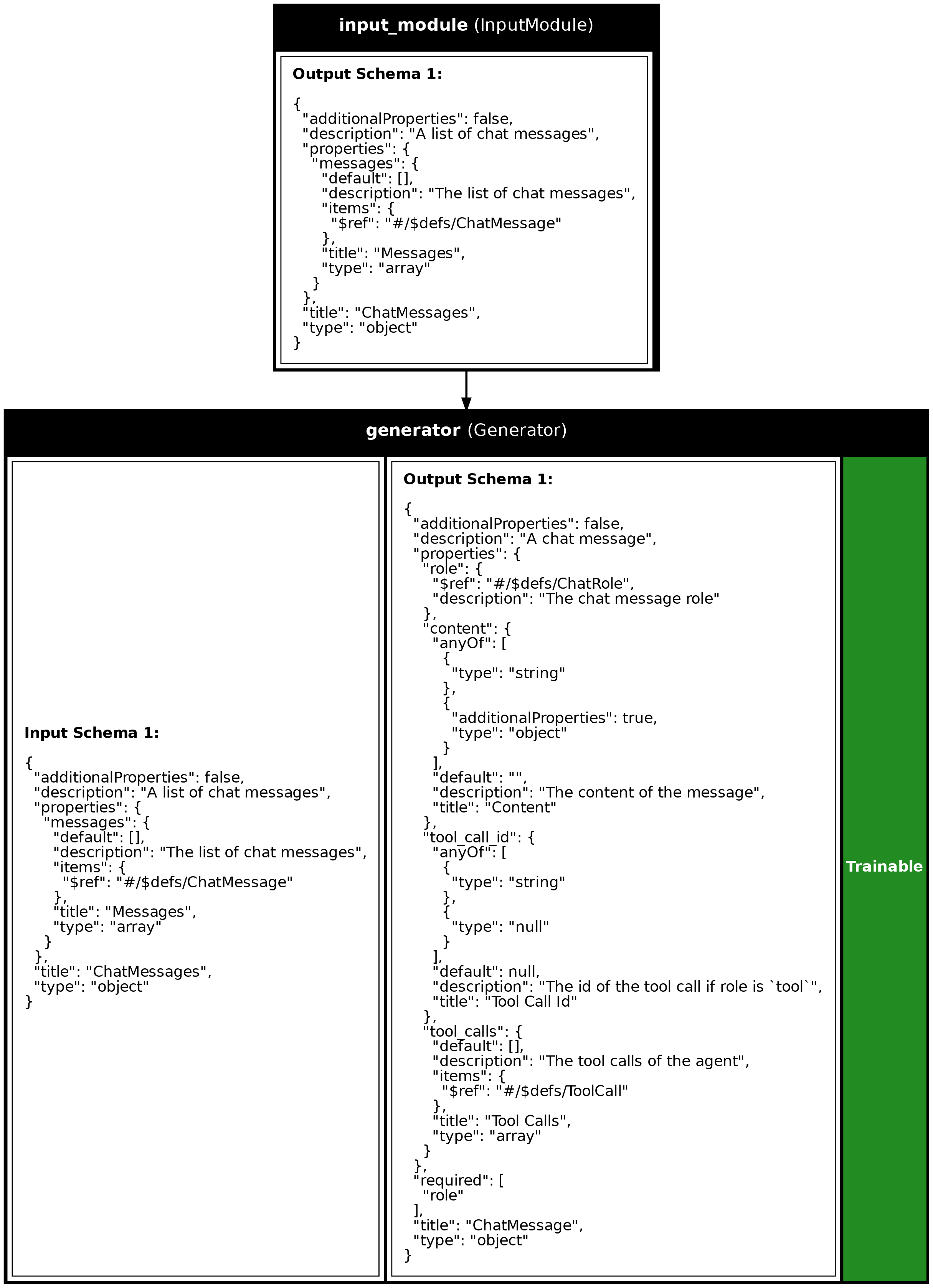
inputs = synalinks.Input(data_model=synalinks.ChatMessages)
outputs = await synalinks.Generator(
language_model=language_model,
streaming=False,
)(inputs)
program = synalinks.Program(
inputs=inputs,
outputs=outputs,
name="simple_chatbot",
)
By default, if no data_model/schema is provided to the Generator it will
output a ChatMessage like output. If the data model is None, then you
can enable streaming.
To use the chatbot, pass a ChatMessages object with the conversation history:
input_messages = synalinks.ChatMessages(
    messages=[
        synalinks.ChatMessage(
            role="user",
            content="Hello! What is the capital of France?",
        )
    ]
)
response = await program(input_messages)
Note: Streaming is disabled during training and should only be used in
the last Generator of your pipeline.
Key Takeaways
- Conversational Flow Management: Synalinks effectively manages conversational applications by handling inputs as a list of chat messages and generating individual chat messages as outputs.
- Streaming and Real-Time Interaction: Synalinks supports streaming for
real-time interactions. However, streaming is disabled during training
and should be used only in the final
Generator. - Simple Setup: Just use
ChatMessagesas input data model and theGeneratorwill handle the conversation context automatically.
Program Visualization
API References
Source
import asyncio

from dotenv import load_dotenv

import synalinks


async def main():
    load_dotenv()

    # Enable observability for tracing
#     synalinks.enable_observability(
#         tracking_uri="http://localhost:5000",
#         experiment_name="conversational_chatbot",
#     )

    # Initialize the language model
    language_model = synalinks.LanguageModel(
        model="ollama/mistral:latest",
    )

    # ==========================================================================
    # Simple Chatbot Example
    # ==========================================================================
    print("Simple Chatbot Example")

    inputs = synalinks.Input(data_model=synalinks.ChatMessages)
    outputs = await synalinks.Generator(
        language_model=language_model,
        streaming=False,
    )(inputs)

    program = synalinks.Program(
        inputs=inputs,
        outputs=outputs,
        name="simple_chatbot",
        description="A simple conversation application",
    )

    # Plot this program to understand it
    synalinks.utils.plot_program(
        program,
        to_folder="examples",
        show_module_names=True,
        show_trainable=True,
        show_schemas=True,
    )

    # ==========================================================================
    # Running the chatbot
    # ==========================================================================
    print("Running the chatbot...")

    # Create a conversation with a user message
    input_messages = synalinks.ChatMessages(
        messages=[
            synalinks.ChatMessage(
                role="user",
                content="Hello! What is the capital of France?",
            )
        ]
    )

    # Get the response
    response = await program(input_messages)
    print(response.prettify_json())


if __name__ == "__main__":
    asyncio.run(main())
Run log
The log below is the unedited combined output of running the example above with local models (ollama).